Inner Galaxy
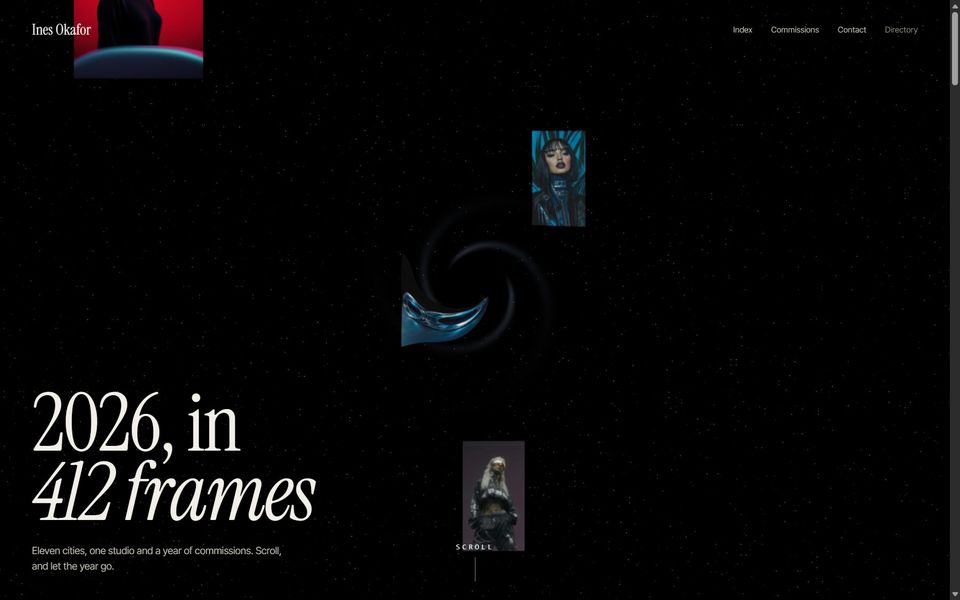
A scroll story into a liquid ball. Scrolling flies toward an iridescent drop that moves like liquid in free fall, then through its skin into a deep field of galaxies where your pages float as cards. A click brings a card up close, and a second click opens its page.
Included with membership
Members install Inner Galaxy with one command and get the full source, the usage code and the Framer remix, licensed for client work. One membership covers the whole library and the CLI.
When to use it
The front door of a site, or an index of a few pages worth a journey: a portfolio's projects, a studio's services. It takes eight screens of scroll by default, so put it at the top of a page and keep a plain menu for visitors in a hurry.
- Give every page a picture at about 960 by 600. The card crops it from the top, so keep the page's header in the top of the picture.
- Keep the list to about four to eight pages. They pass the flight one after another, and the grid at the end holds eight in two rows.
- Pass onNavigate to open pages with your router or a page transition. Without it, a second click follows the page's href.
- Pass progress to drive the story from something other than the page's scroll, such as a scroll box or a slider of your own, and give the parent a height.
Avoid:
- Do not change pages on a story that is already built. They are read once, when the scene is built, so give it a new key to show others.
- Do not put two on one page. Each builds a scene of its own.
Props
A scroll story into a liquid ball. The page opens on an iridescent drop that moves like liquid in free fall: slow wobbles that ring and settle, ripples that run round it from wherever it is touched, and now and then a nudge from a random side. Scrolling flies toward it and through its skin into a deep field of galaxies, where your pages float as cards. A click brings a card up close and a second opens its page. At the end of the story the cards gather in a grid to pick from.
<InnerGalaxy />
The story. It makes the page as long as length, and its stage stays on screen while the page scrolls past.
| Prop | Type | Default | Description |
|---|---|---|---|
pages | readonly InnerGalaxyPage[] | — | The pages, each floating as a card among the galaxies. Read when the scene is built. |
length | number | 800, eight screens | How long the story is, in vh. |
progress | number | — | Where the story is, from 0 to 1, in place of the page's scroll: for a story driven by something else, such as a slider or a scroll box of your own. The story then fills its parent instead of making the page longer, so give the parent a height. |
background | string | "#f3f2ee" | The page round the ball. |
glow | string | "#ff94b8" | The light inside the ball. |
wobble | number | 1 | How much the ball moves. 0 holds it still, 2 is the most. |
onNavigate | (page: InnerGalaxyPage, index: number) => void | — | Opens a page. Leave it out and the browser follows the page's href. |
title | React.ReactNode | — | Shown over the page at the top of the story. |
hint | React.ReactNode | — | Shown over the field while no card is up close, such as "Pick a page". |
className | string | — | Class for the outer element. |
style | React.CSSProperties | — | Style for the outer element. |
<InnerGalaxyPage />
typeOne page, shown as a card.
| Prop | Type | Default | Description |
|---|---|---|---|
title* | string | — | The page's name, on its link and over its card when it is up close. |
href* | string | — | Where the page is. A second click opens it, unless onNavigate is given. |
preview | string | — | A picture of the page, shown on its card. |